How it works
One page for everyone who comes into contact with betaPlan: what you see, in what order, and what we do on our side. The screenshots come from a demonstration version with sample accounts, not from real accounts.
Who it is for
Professionals
You ask for access, you learn at your own pace, and you decide whether to submit a work sample for evaluation.
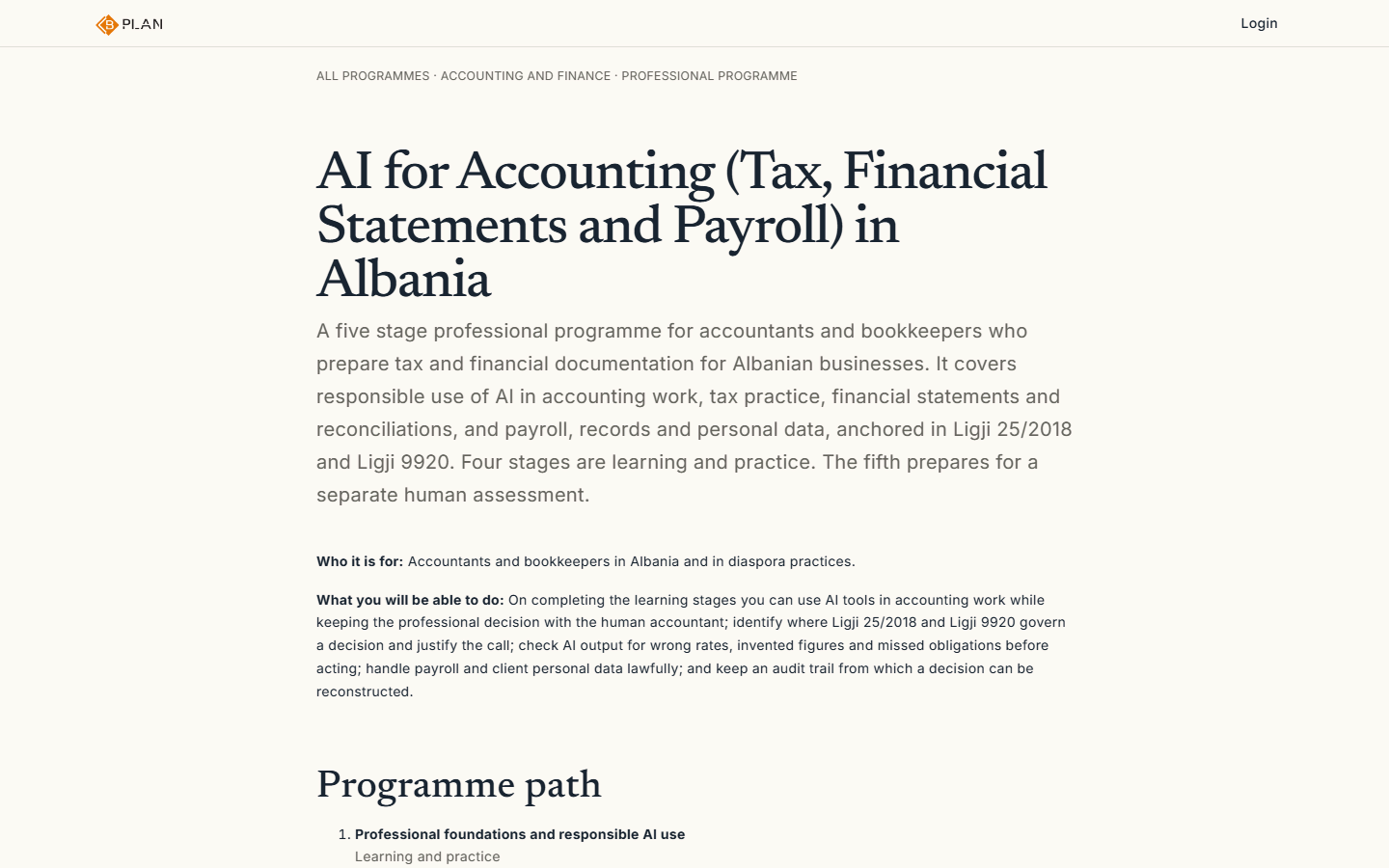
1Demo data. The programme page shows the phases and who the programme is for, before you ask for access. 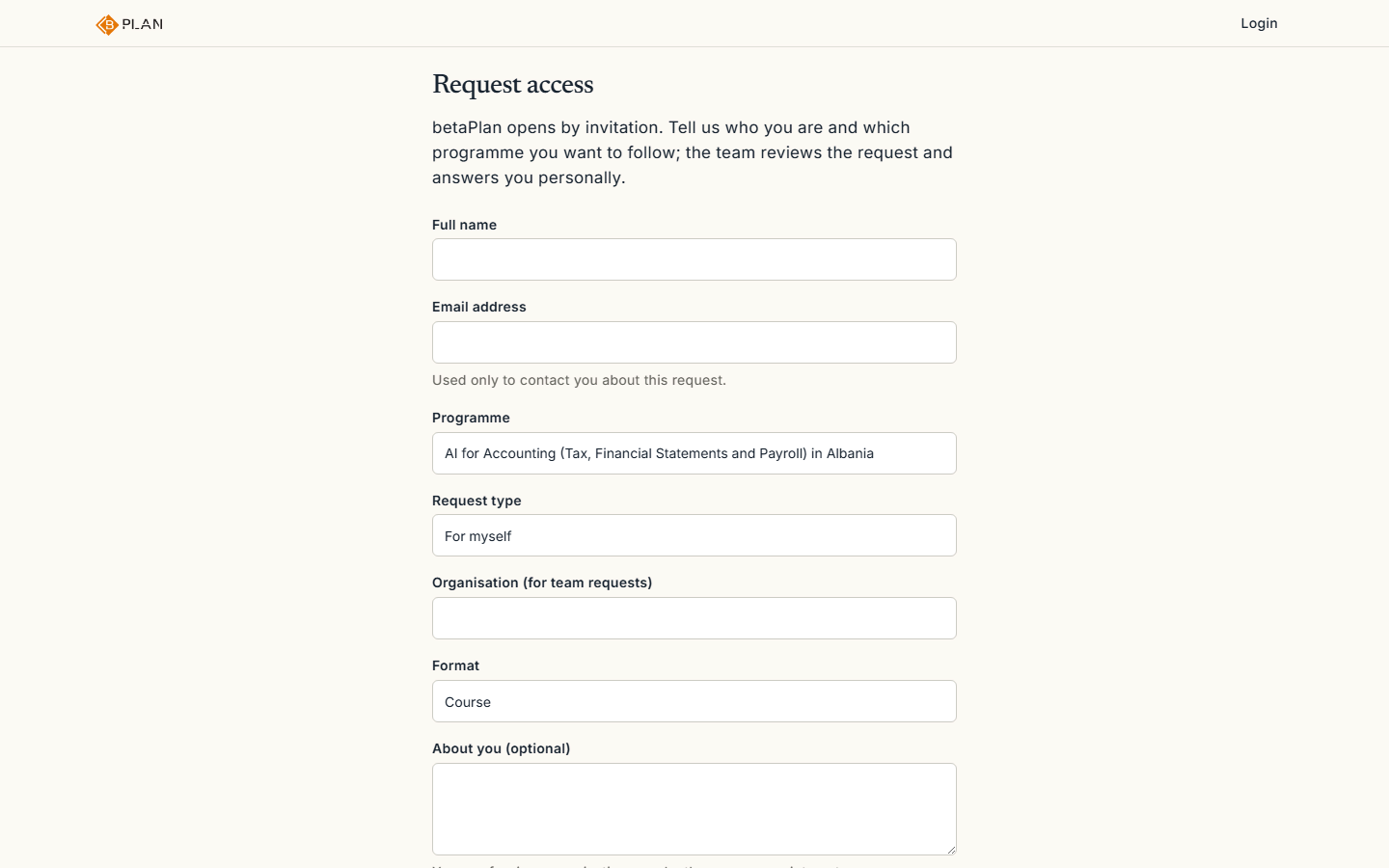
2Demo data. You ask for access with your name and email. The team replies to you personally by email, not with an automated message. 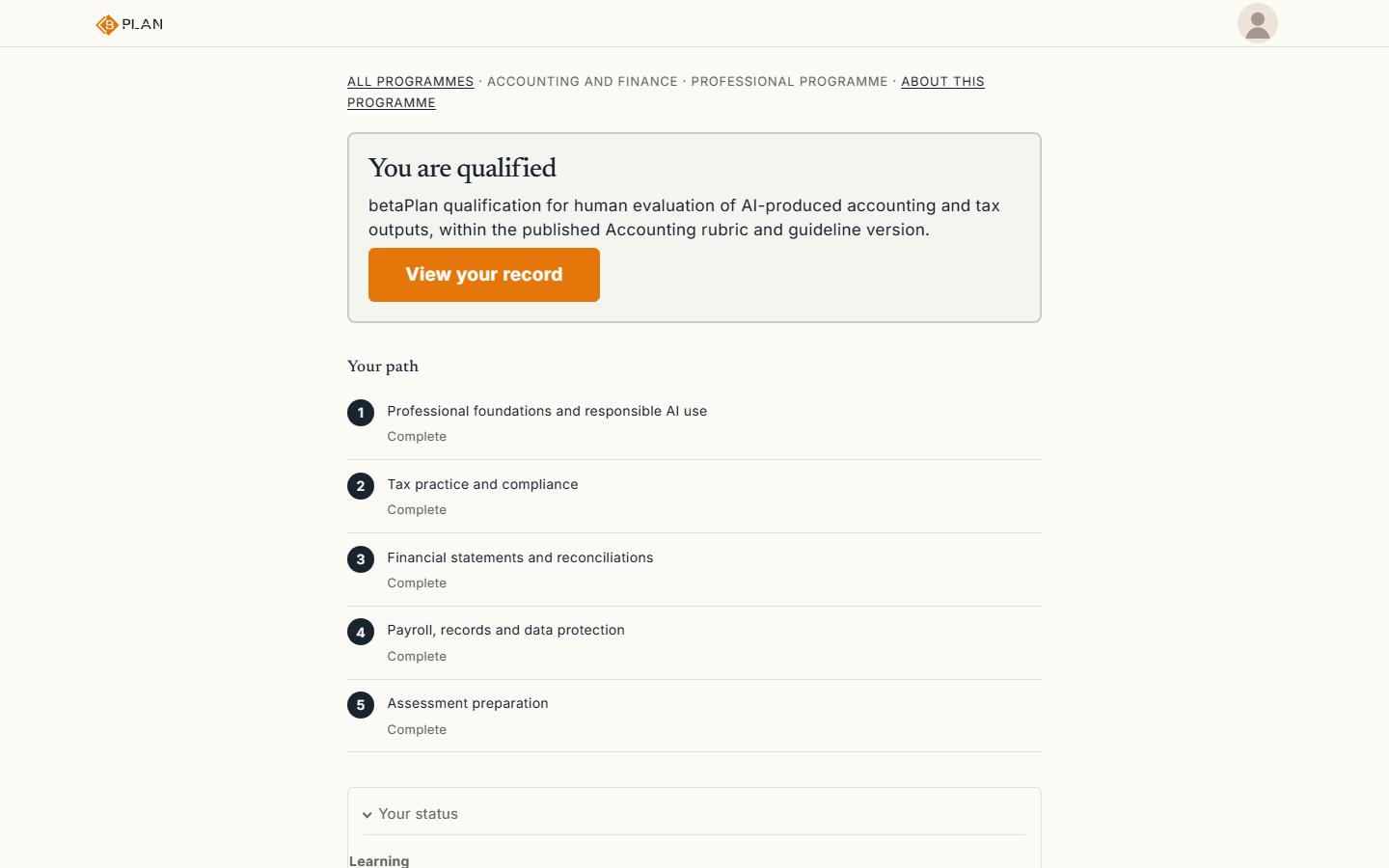
3Demo data. After the invitation, your home page shows the courses in order and where you left off. 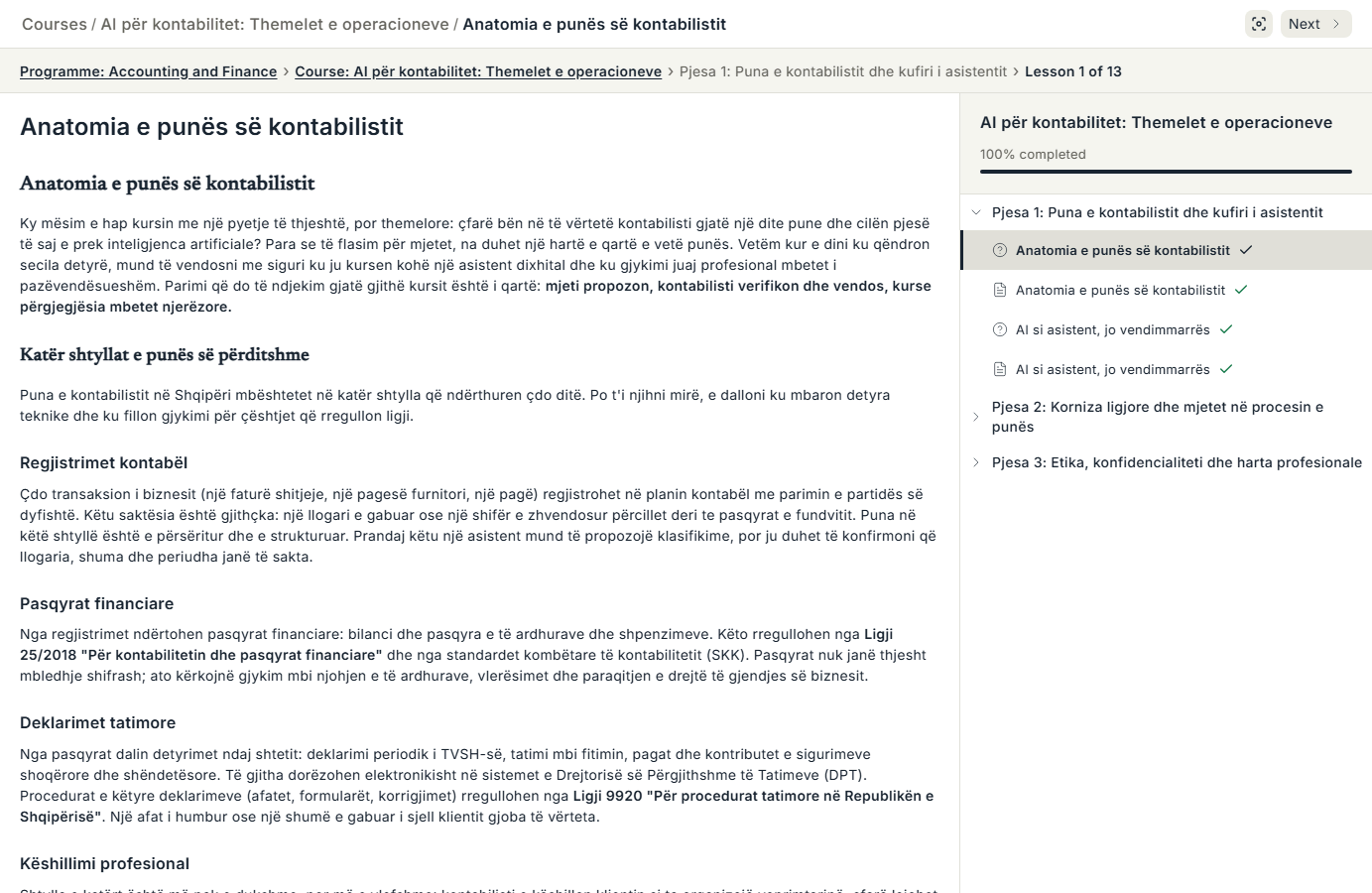
4Demo data. Each lesson has the material and a learning check. 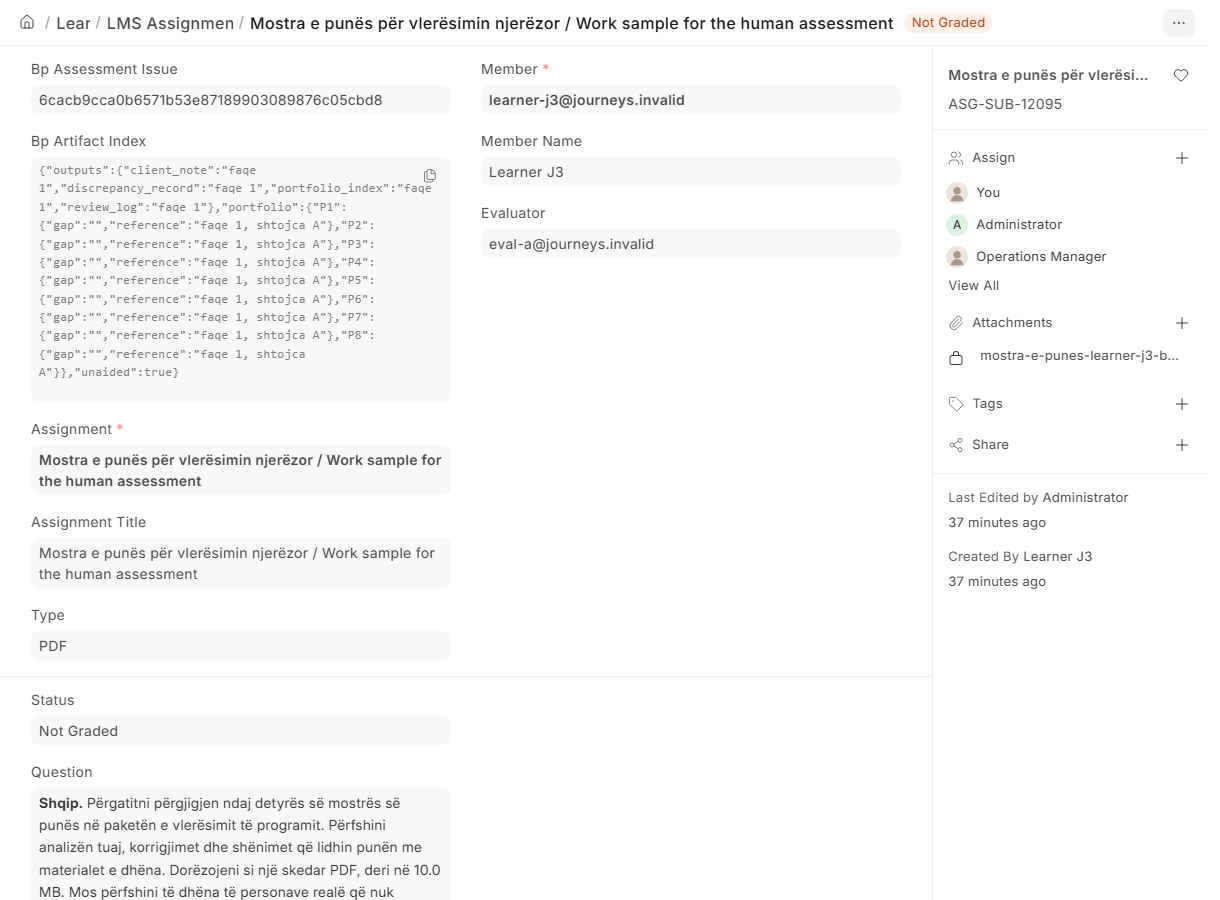
5Demo data. At the end you may submit a work sample, which two human assessors judge against the published rubric. 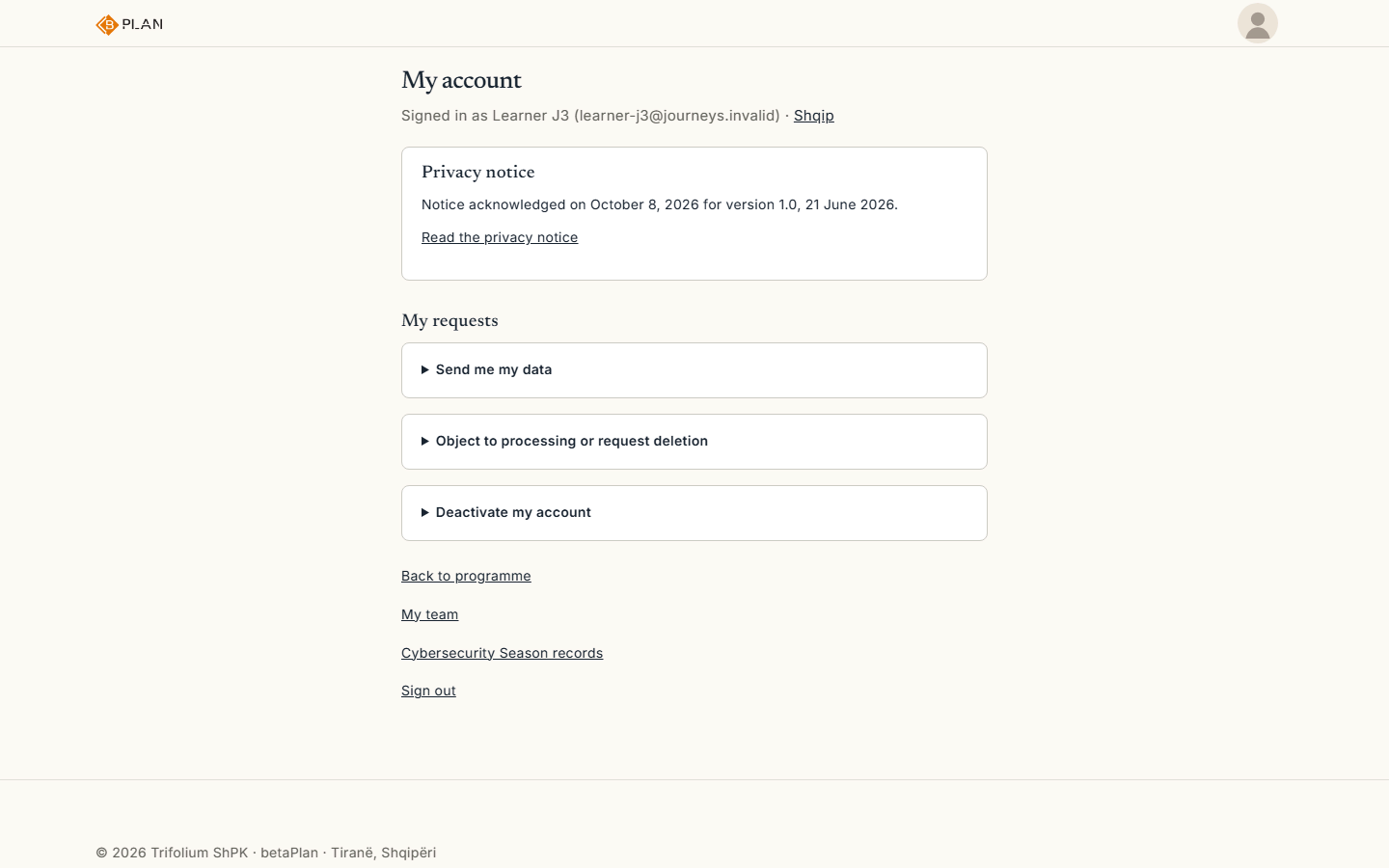
6Demo data. From your account you can request your data, withdraw consent or deactivate the account.


Institutions and teams
An institution makes a single request; each member then has their own account, consent and progress.
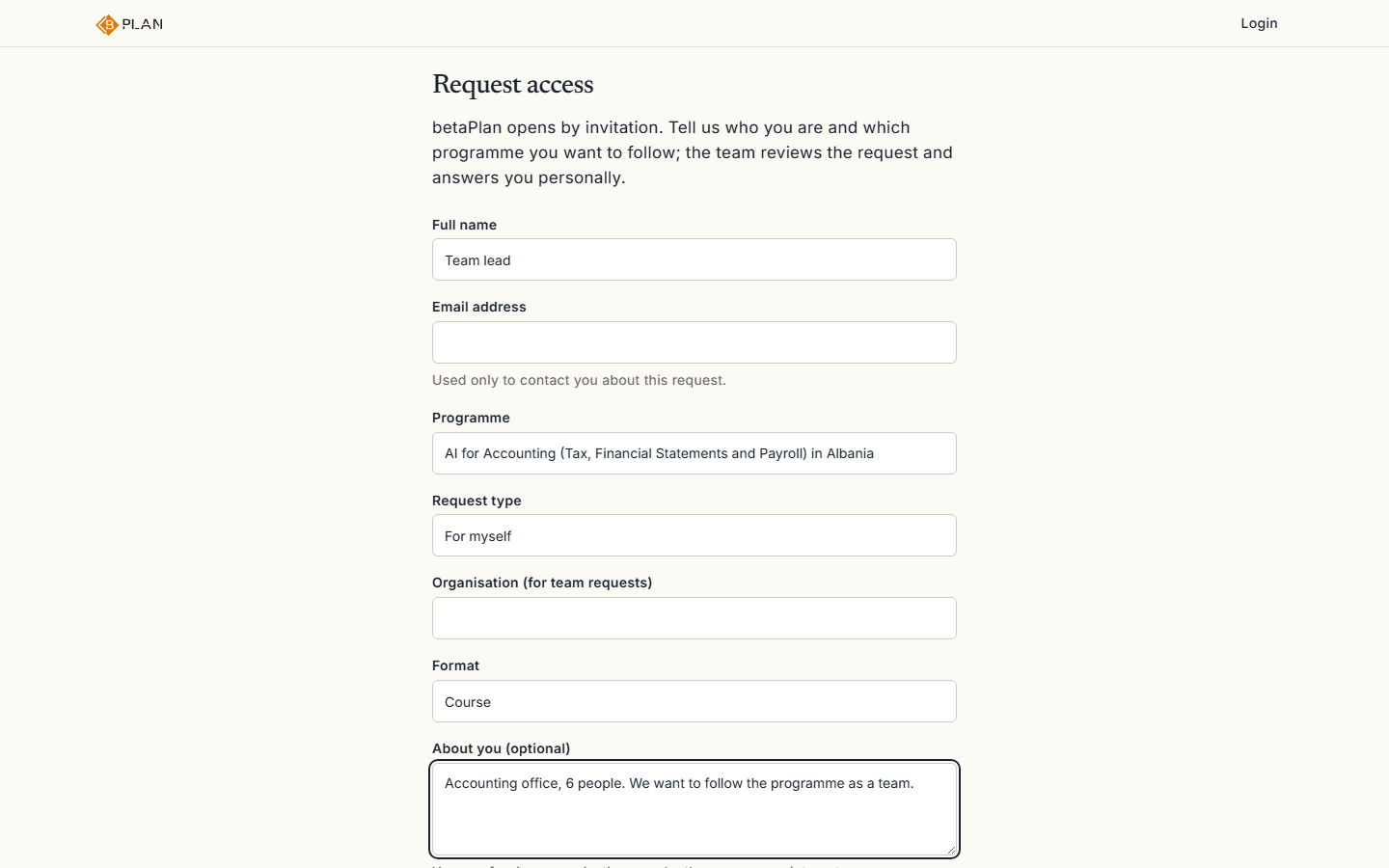
1Demo data. The institution makes a single request for access and describes the team in the message. 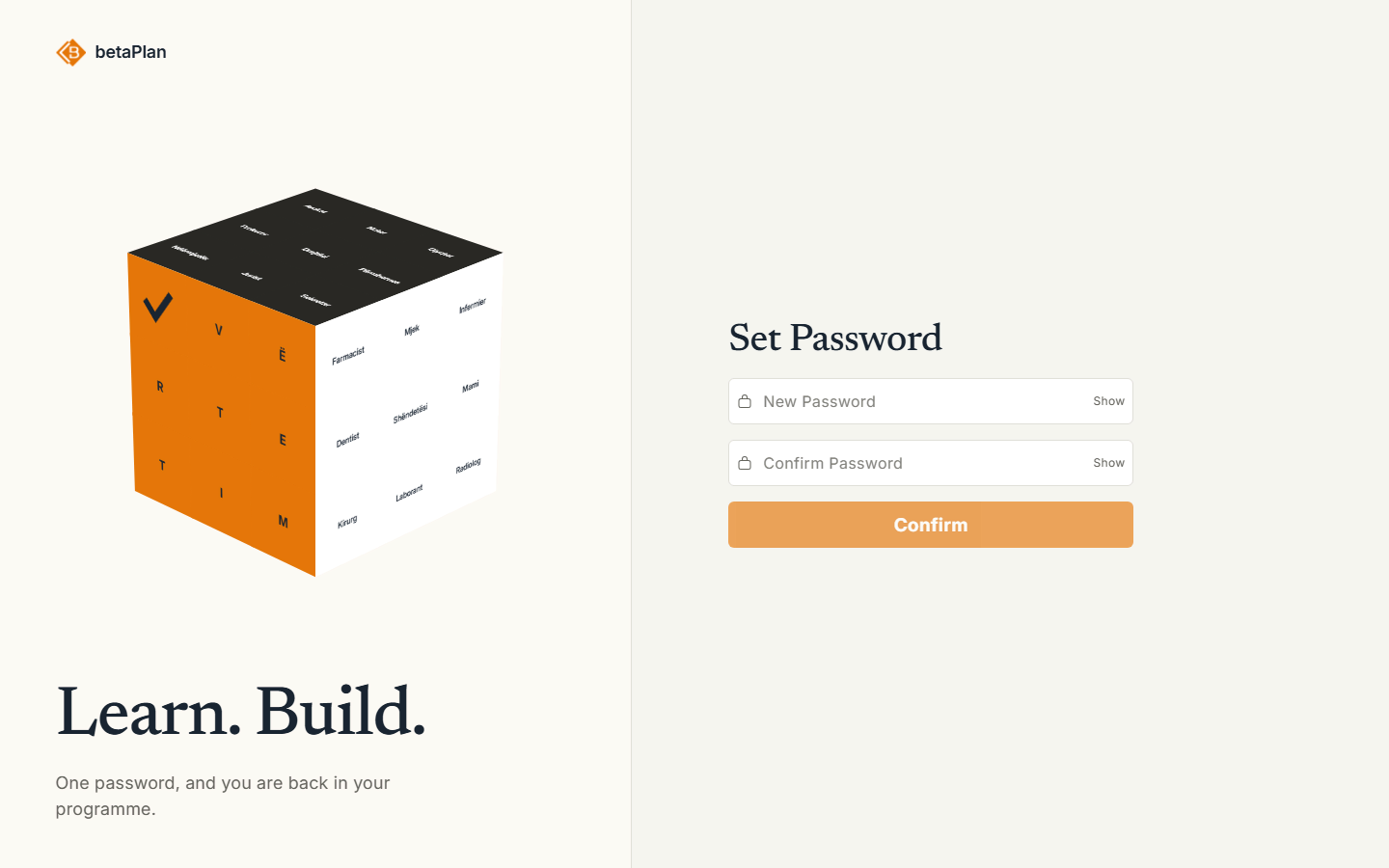
2Demo data. Each member gets their own invitation and sets their own password. There is no shared account. 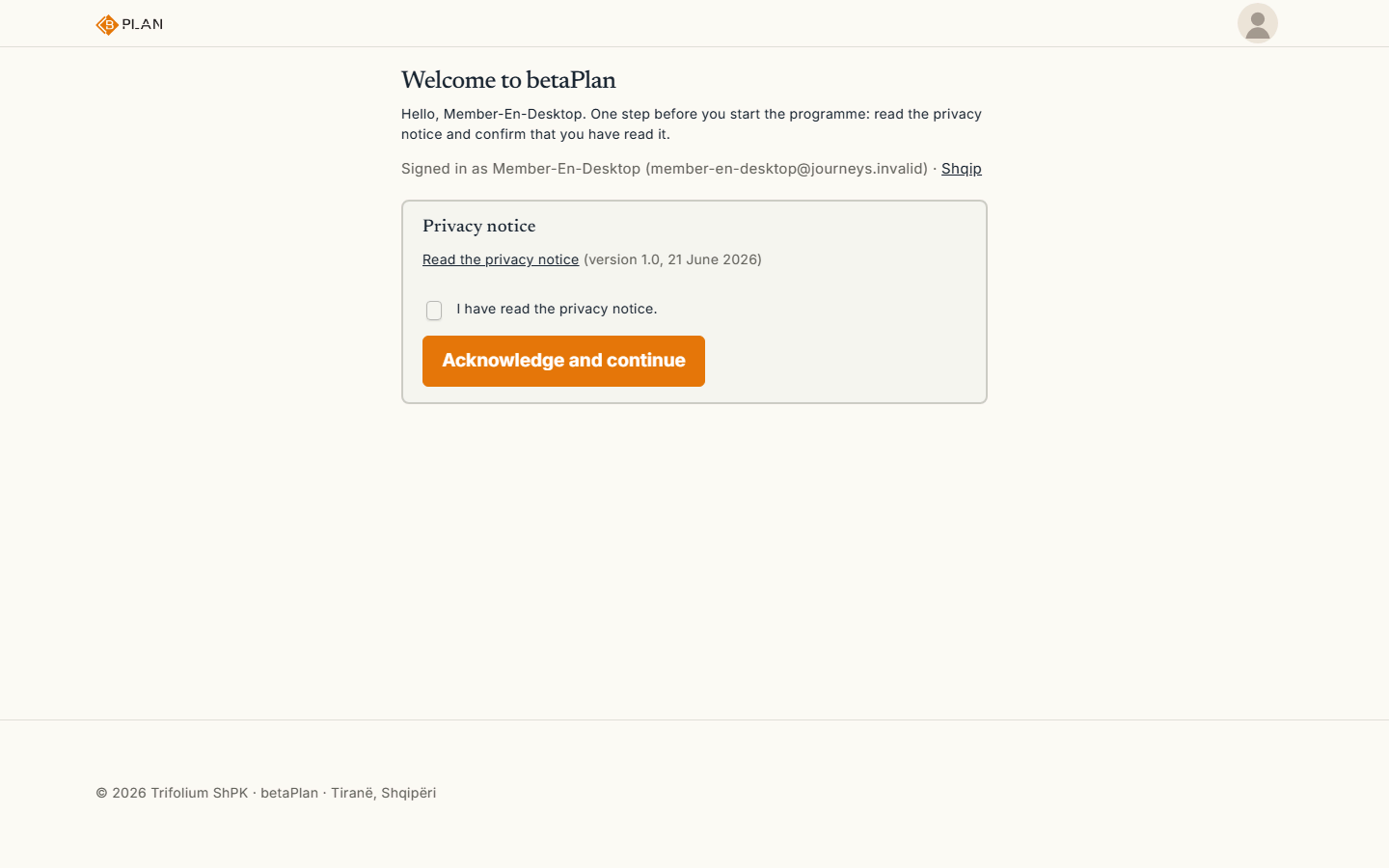
3Demo data. On the first sign-in each member reads the privacy notice and gives consent. 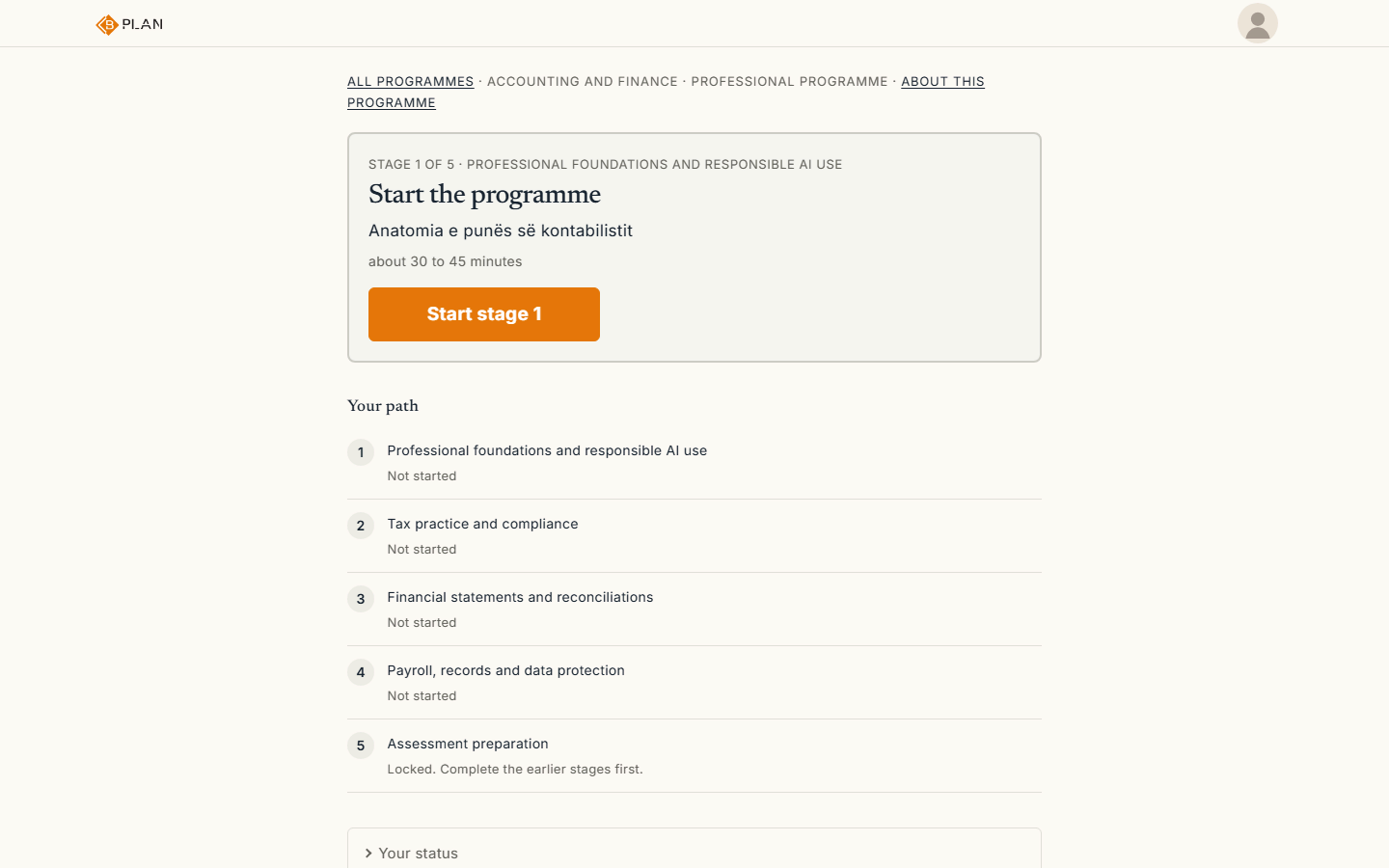
4Demo data. Progress belongs to each member. There is no shared team dashboard; our team reports back to the institution by email.


Annotators
The workbench opens only once you hold a qualifying certificate. Every task is reviewed by a person and every step is recorded.
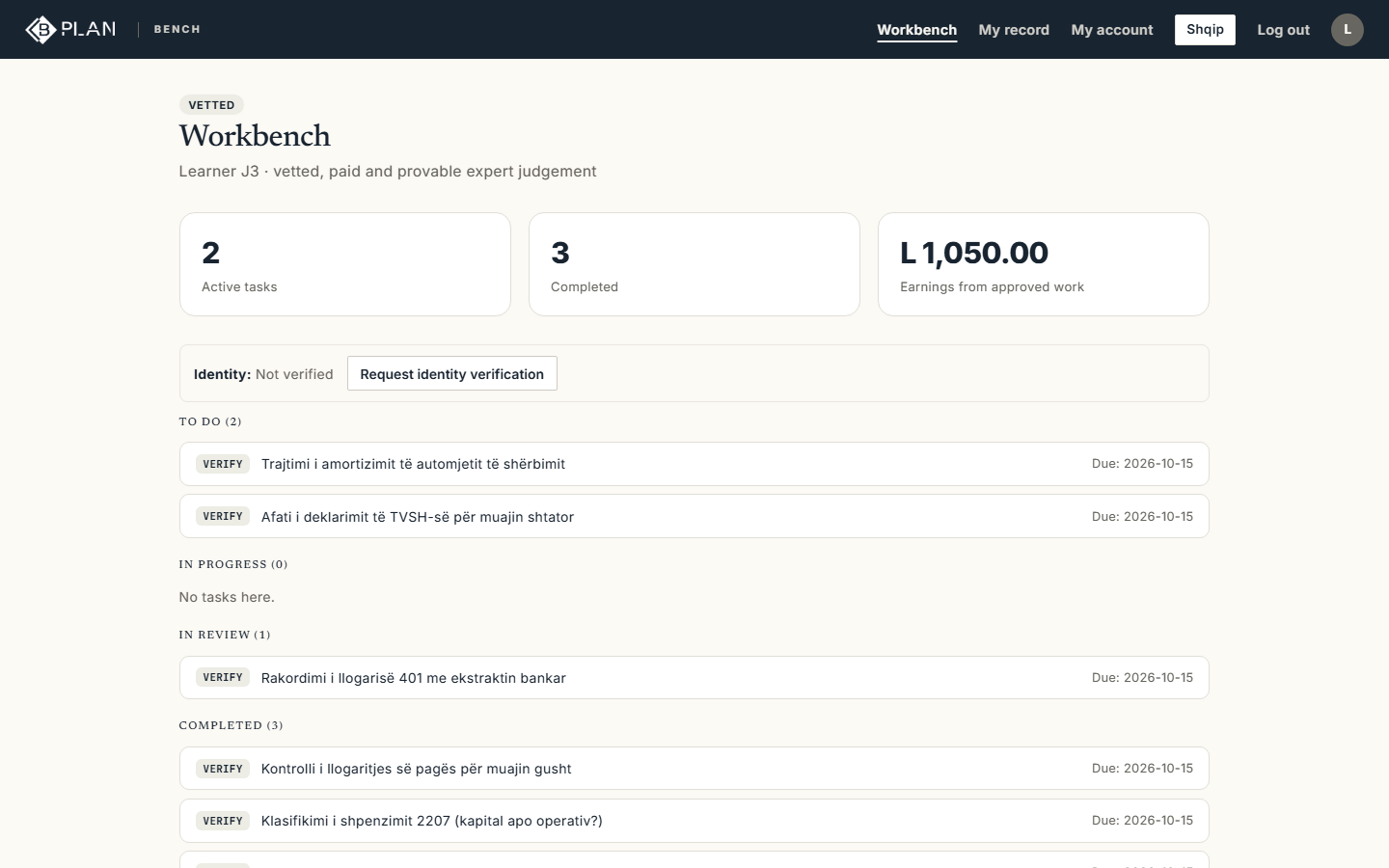
1Demo data. The workbench lists your tasks. 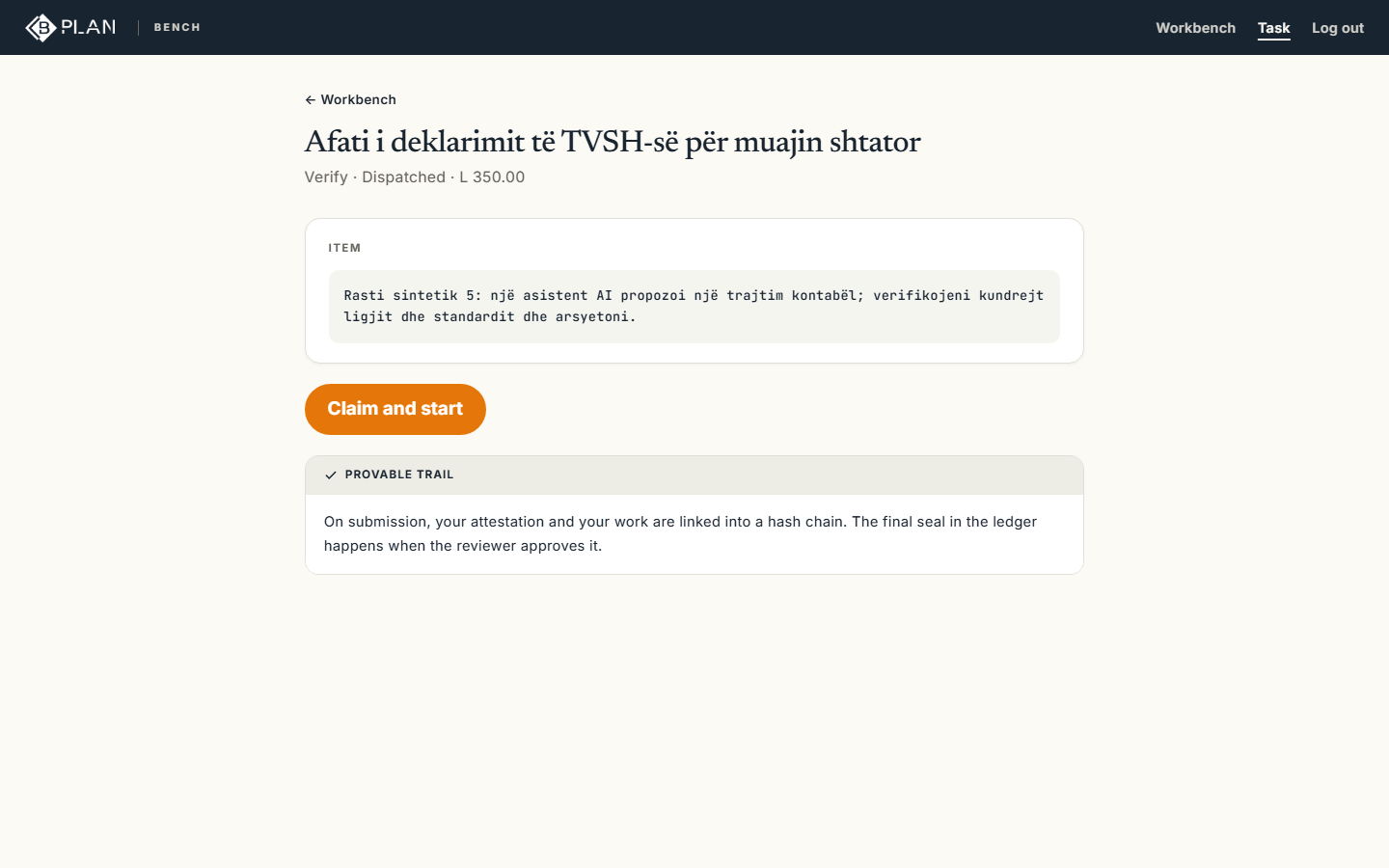
2Demo data. A task shows the item and the guideline it must follow. You take it and start when you are ready. 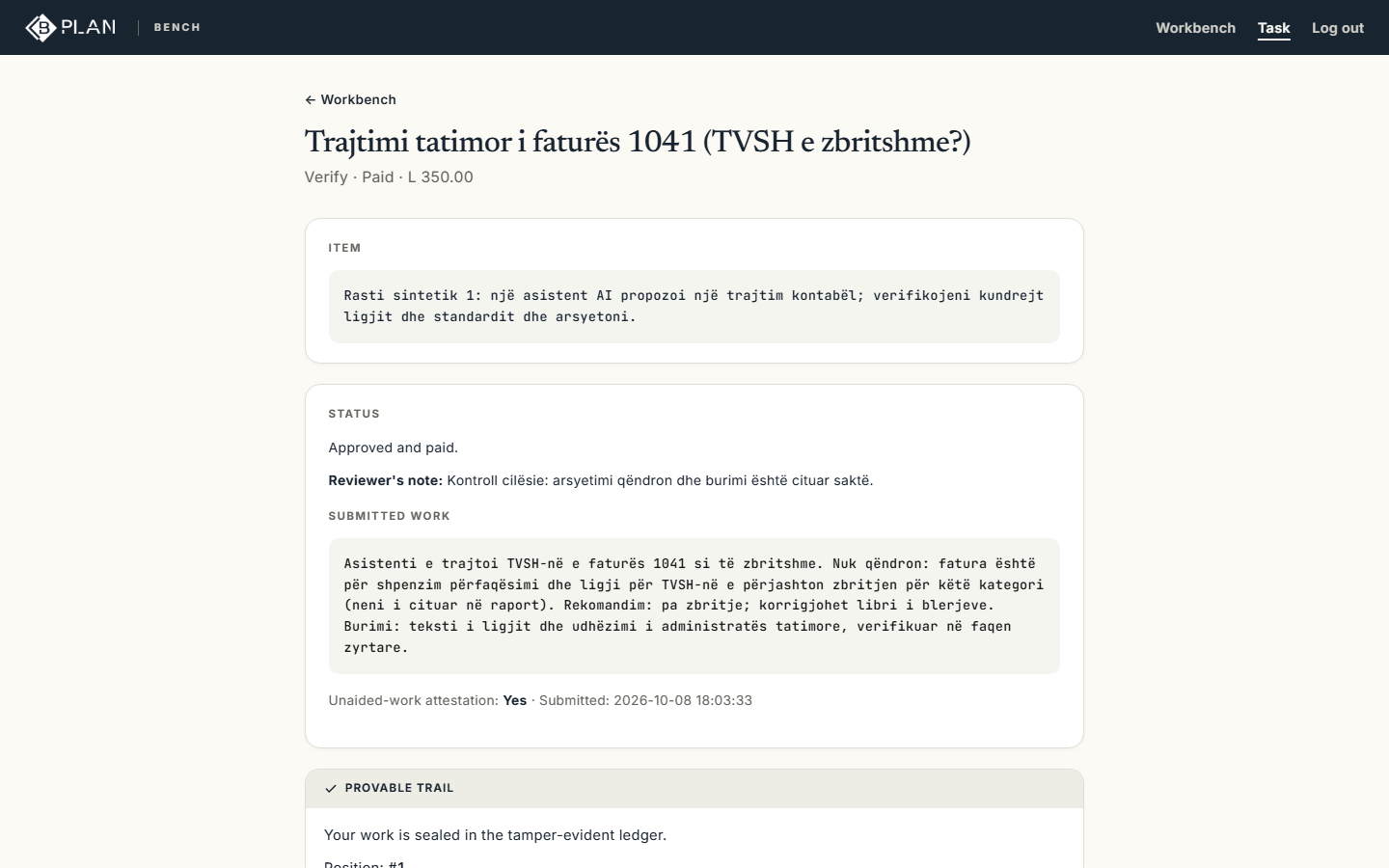
3Demo data. After submission a human reviewer approves the work or sends it back. The outcome shows on the task. 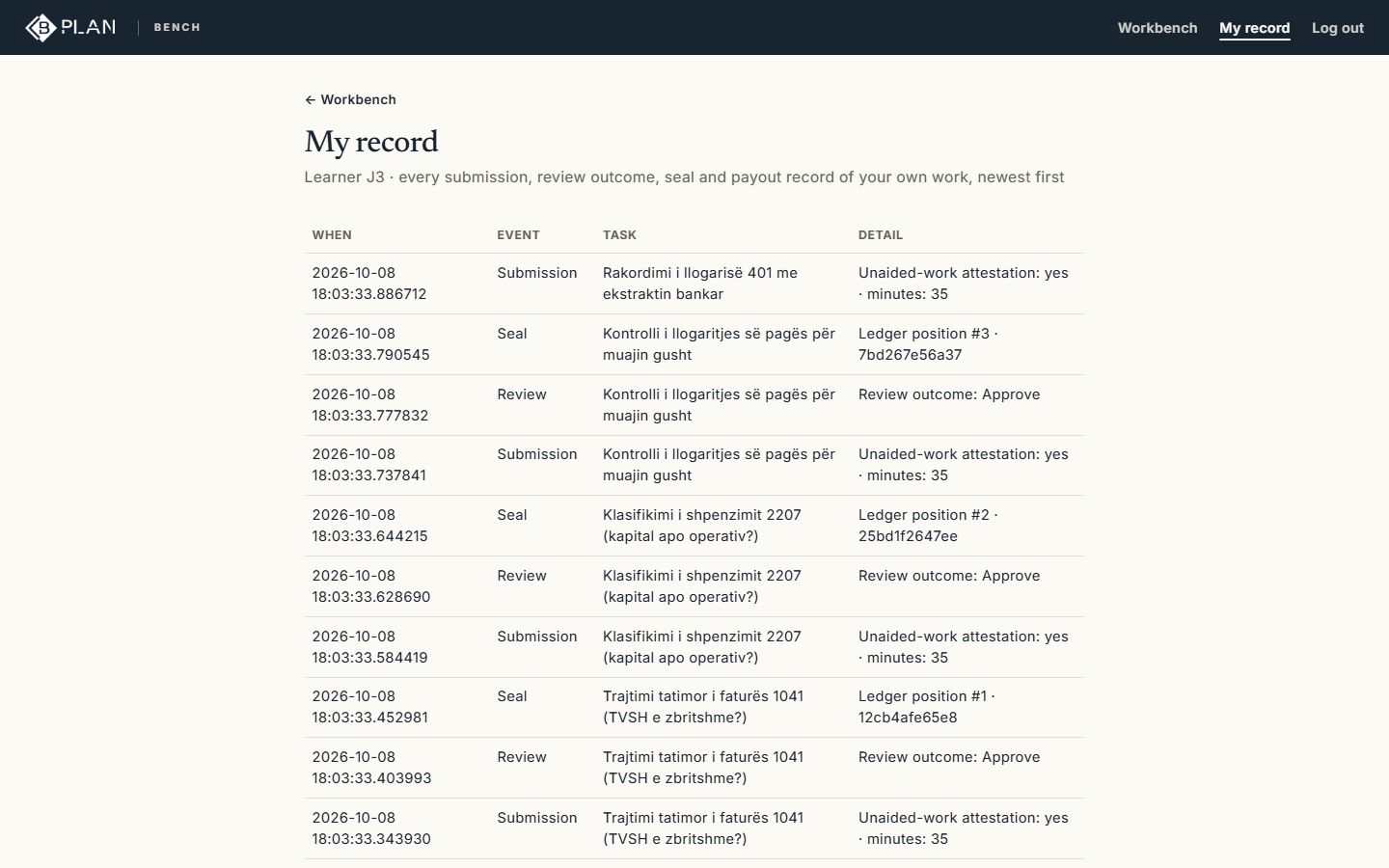
4Demo data. Your file keeps every submission, review and seal, with the time of each.


Evaluators and instructors
Two named people decide on every work sample. The rubric is published before the sample is written, and no AI takes part in the decision.
The evaluator workspace is partly in English.
1Demo data. The work sample arrives as a task with the published rubric. The evaluator is named on the submission. 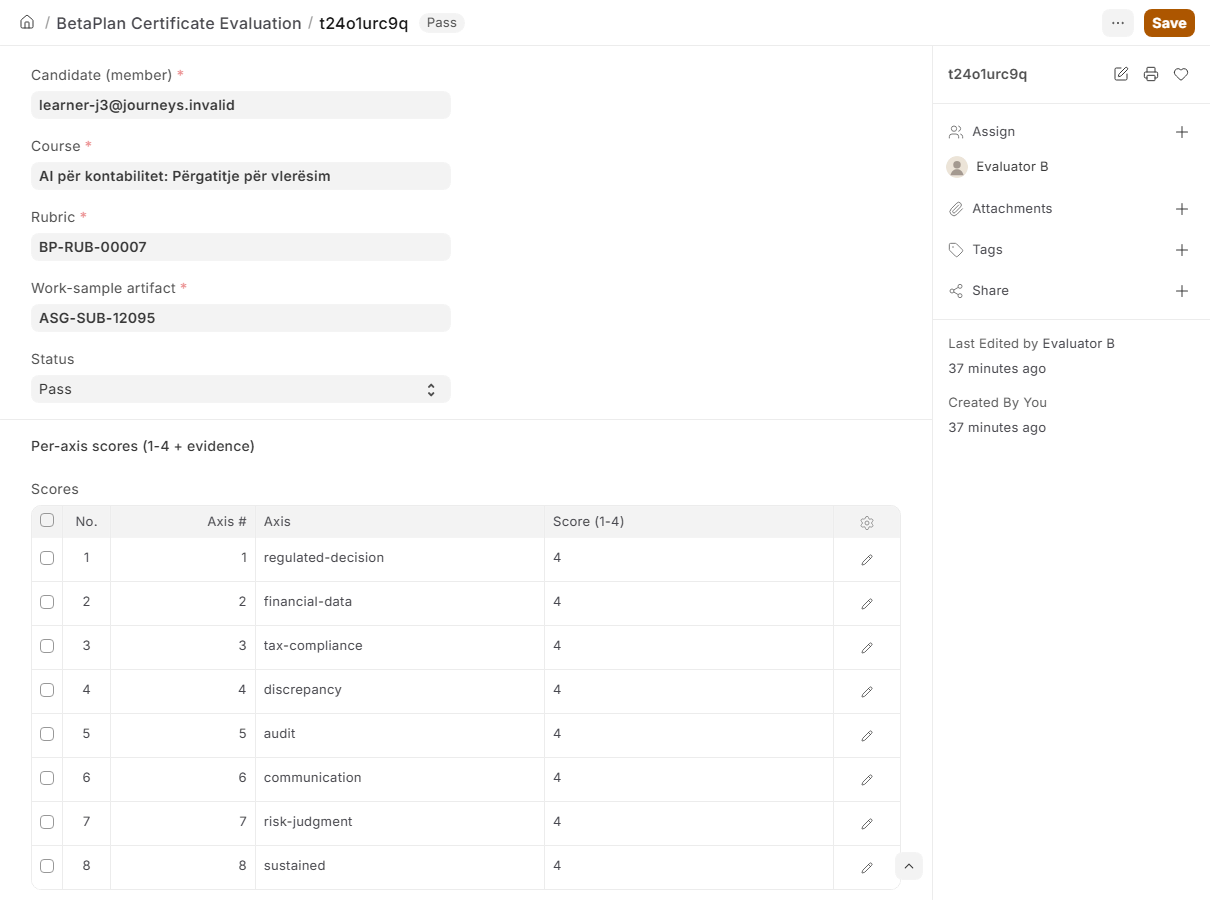
2Demo data. The evaluator scores each criterion and backs every score with evidence. A second evaluator co-signs, so no decision rests with one person. 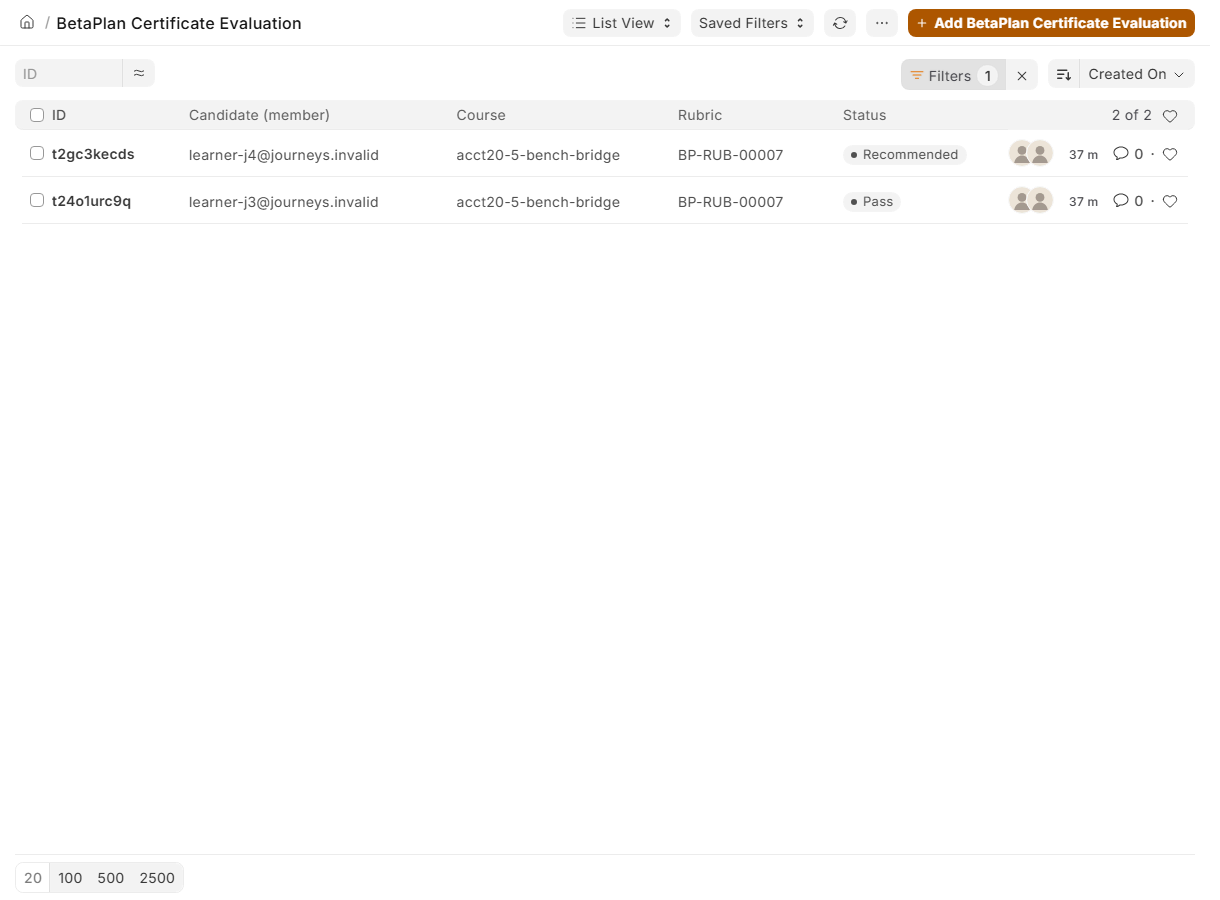
3Demo data. The queue shows open and closed evaluations, each with its rubric version. 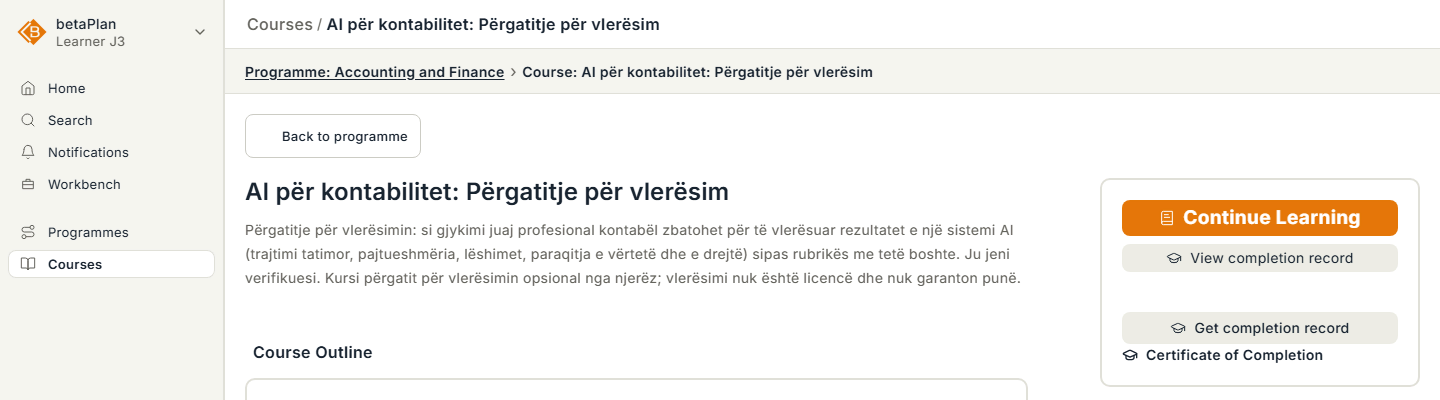
4Demo data. The result is shown to the candidate on the course. The certificate is issued only after the evaluation.


AI companies
You commission annotation or evaluation in a professional field. Every submission is reviewed by a person and the delivery comes with a record you check yourself.
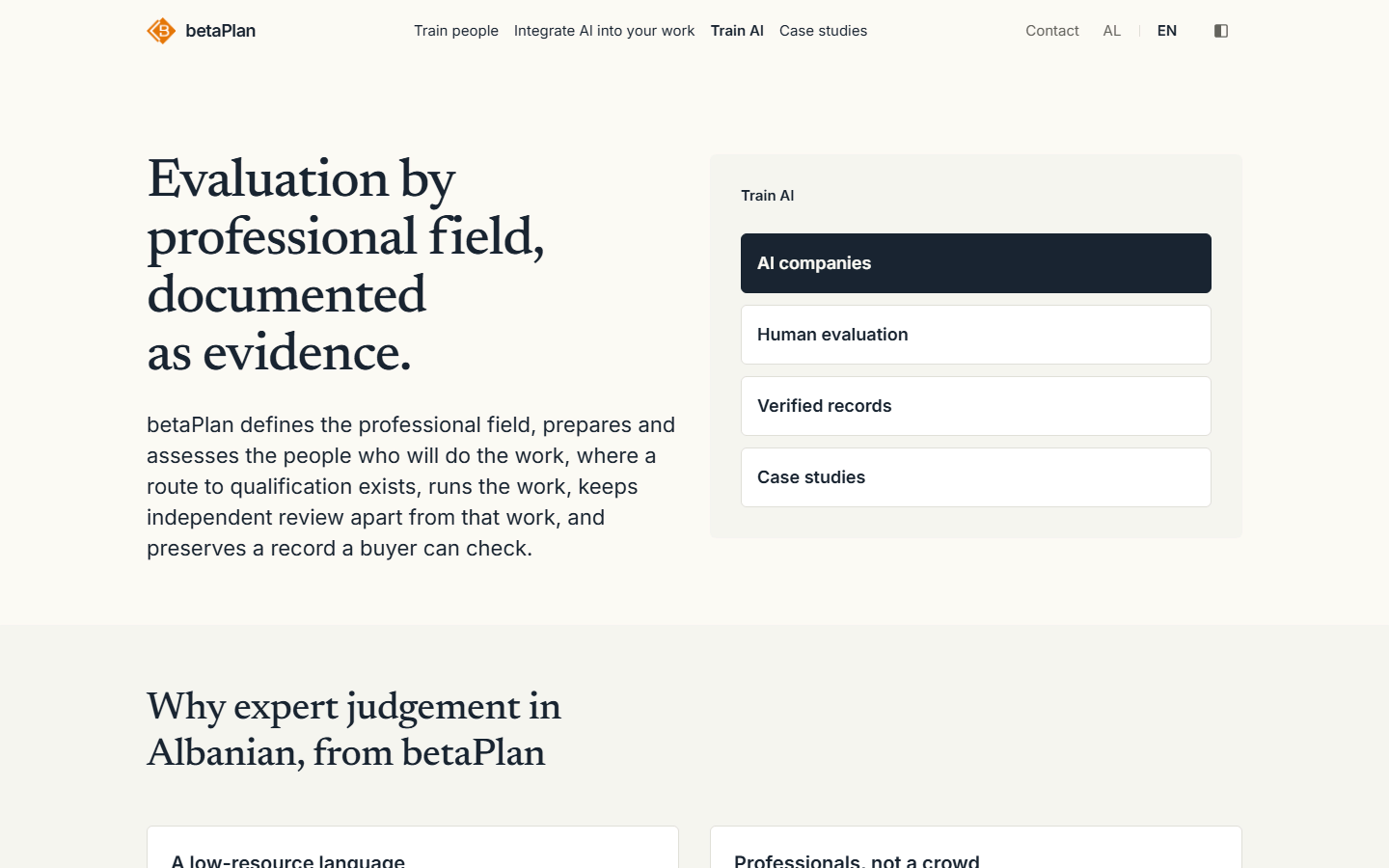
1Demo data. The page for AI companies shows the four kinds of work and how they are organised. 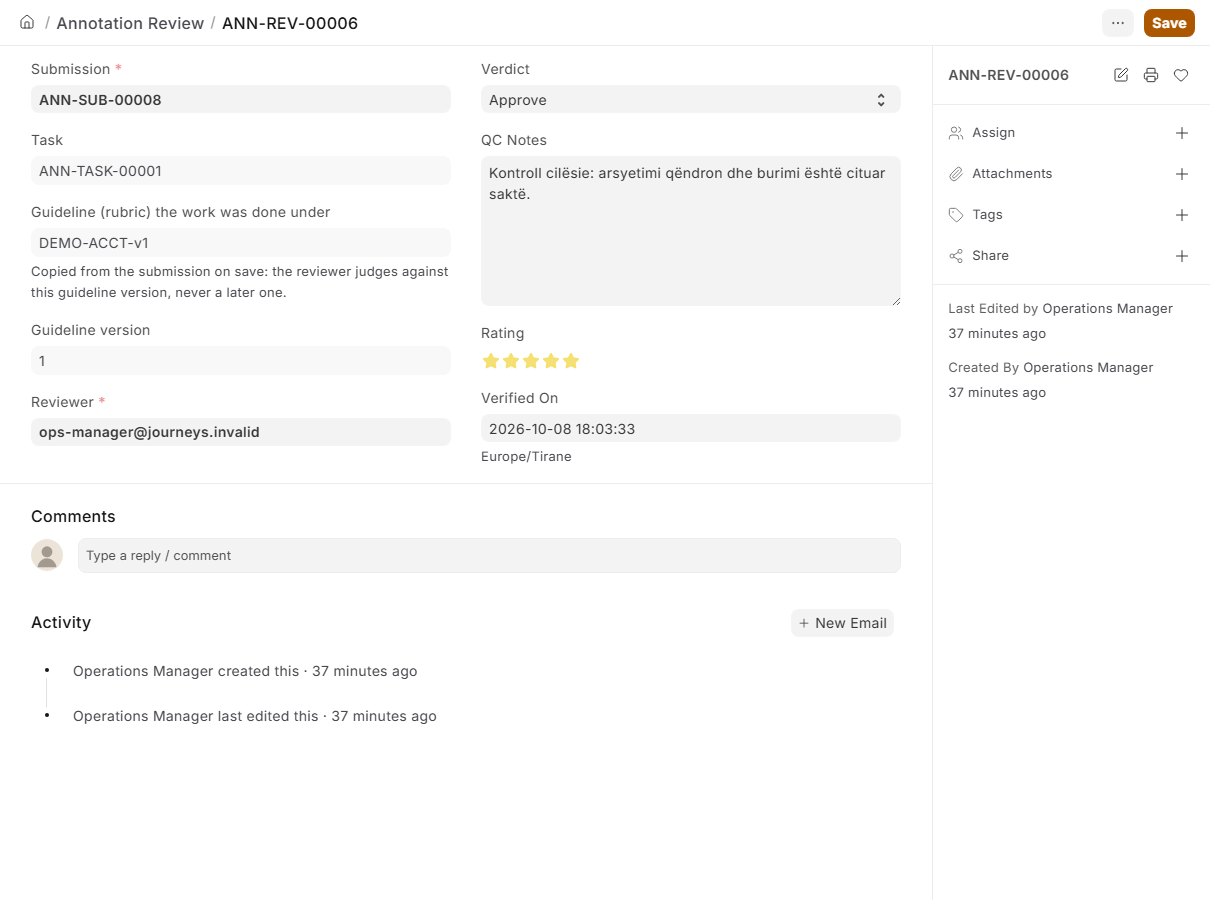
2Demo data. Every annotator submission is reviewed by an independent reviewer before it reaches you. 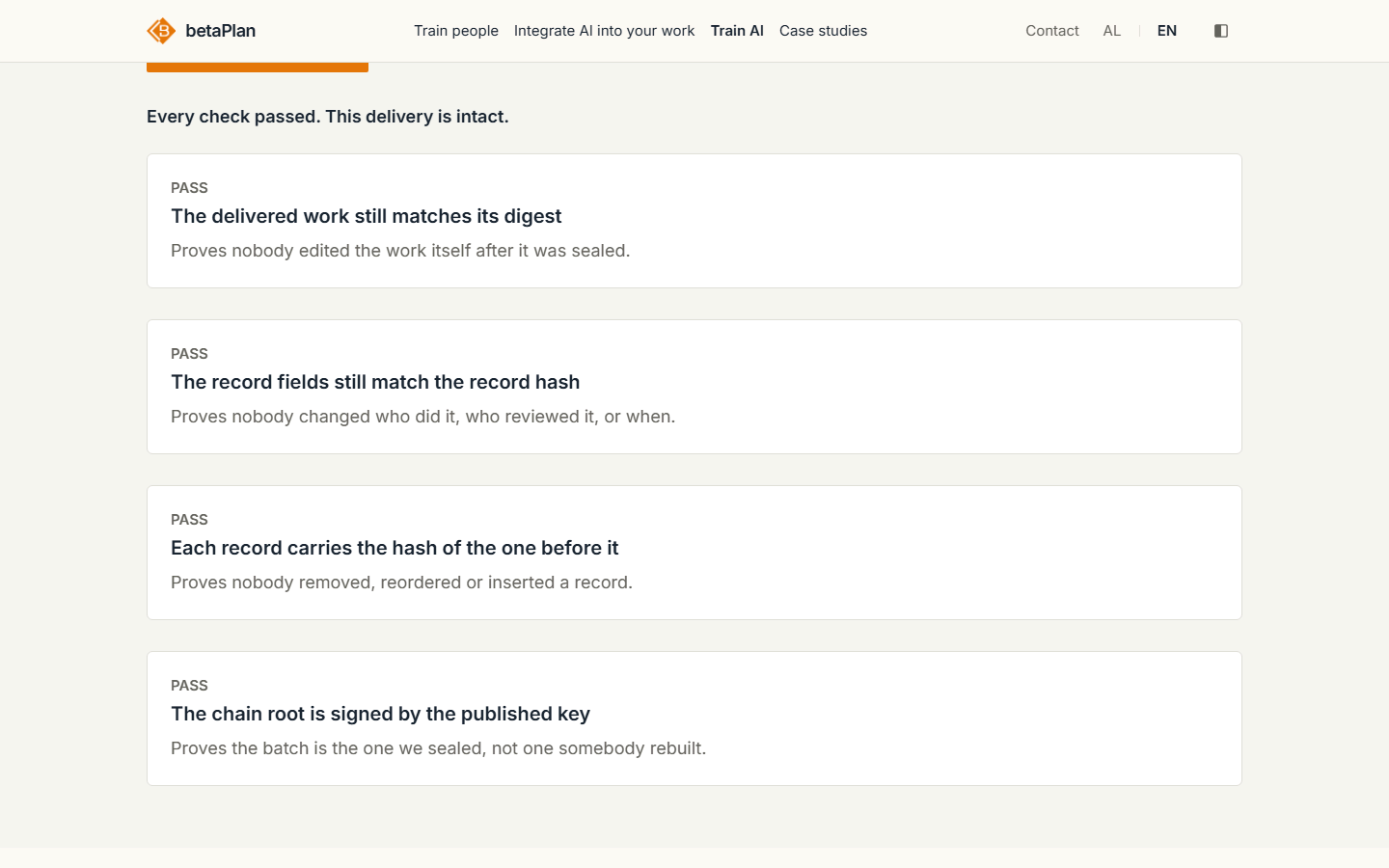
3Demo data. The delivery comes with a sealed record that you check on your own machine. There is no client sign-in yet; delivery goes by file.


Operators
The team that runs the platform reviews every request personally. Nothing is approved automatically.
The operator workspace is partly in English.
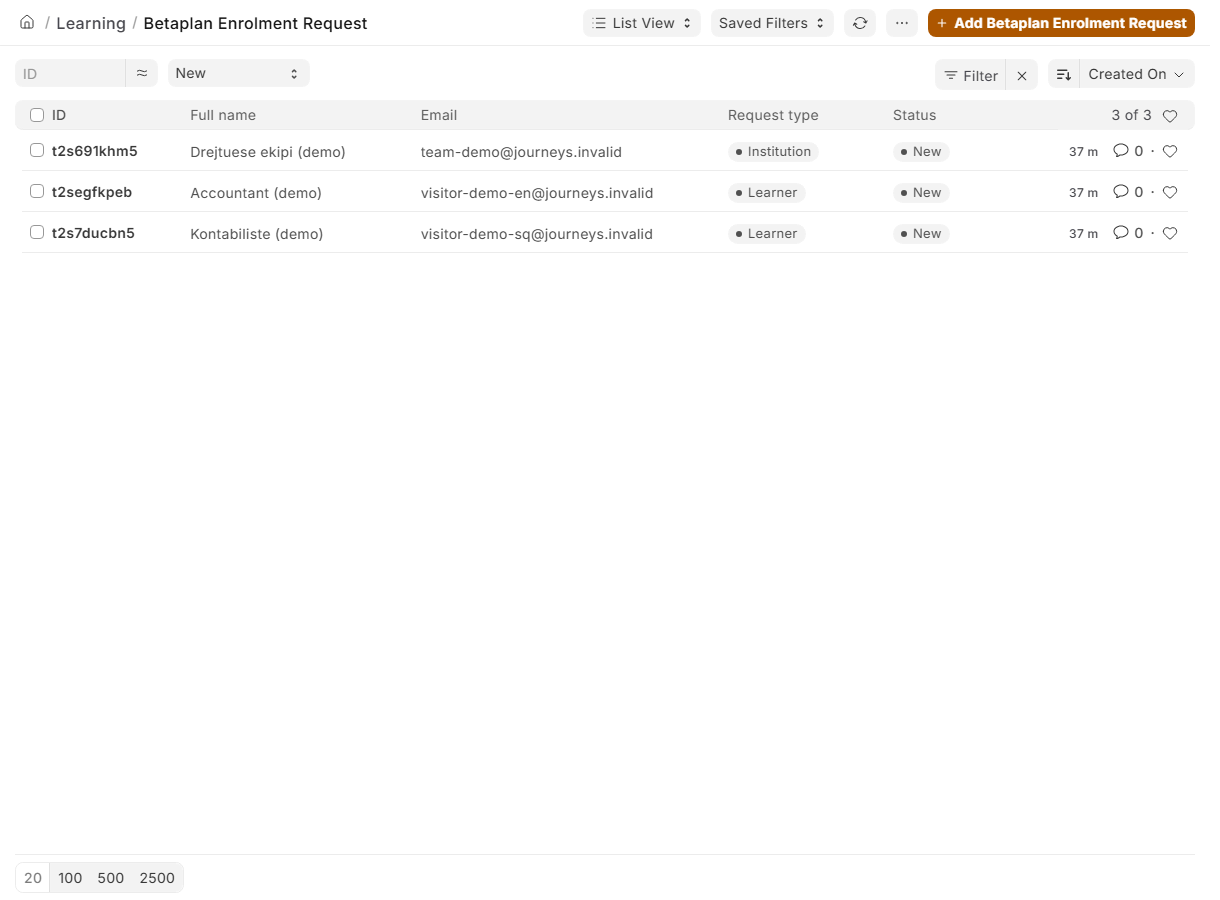
1Demo data. Access requests arrive in a queue. The operator reviews them one by one. 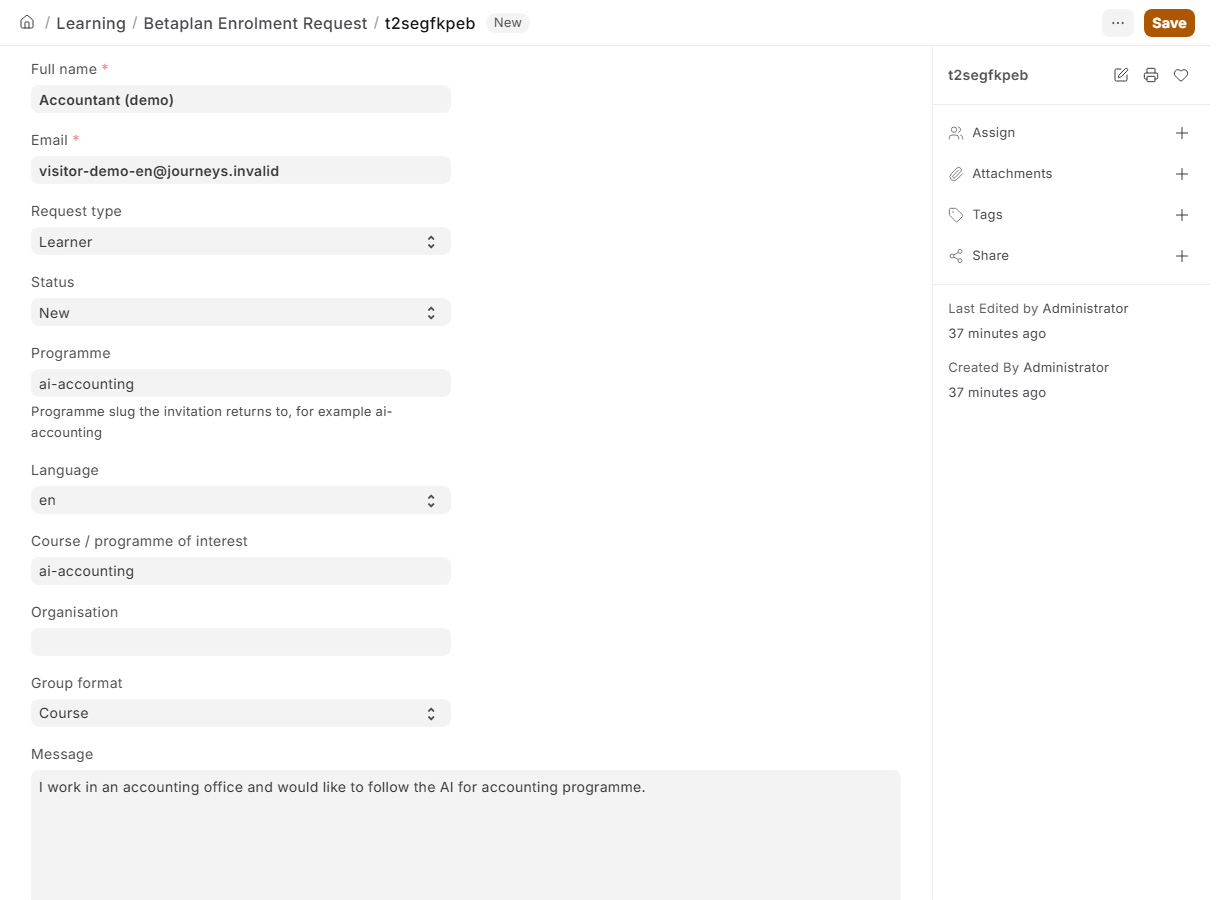
2Demo data. For each request, the operator creates the invitation or declines the request with a note. 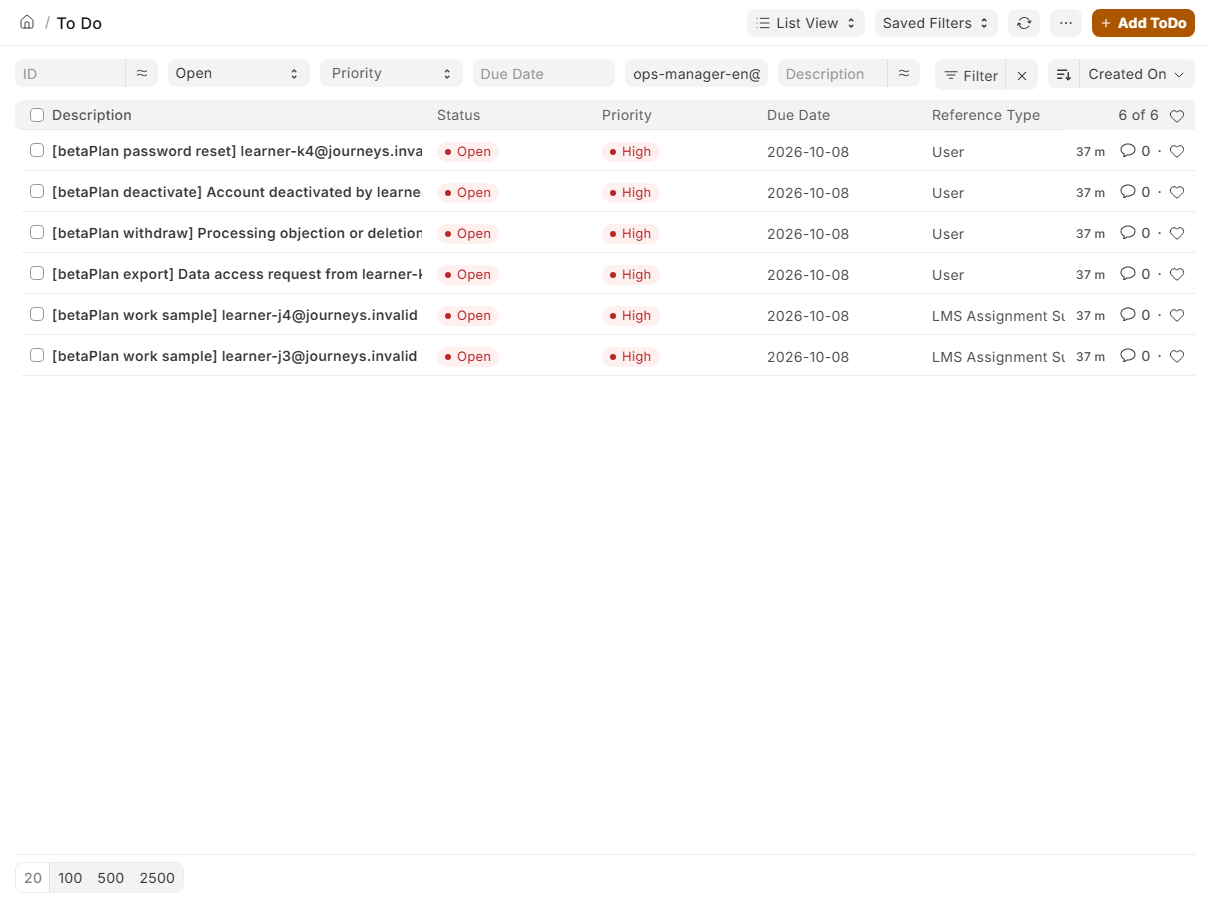
3Demo data. Requests for data, consent withdrawal, deactivation and password reset become tasks for the operator, with a deadline. 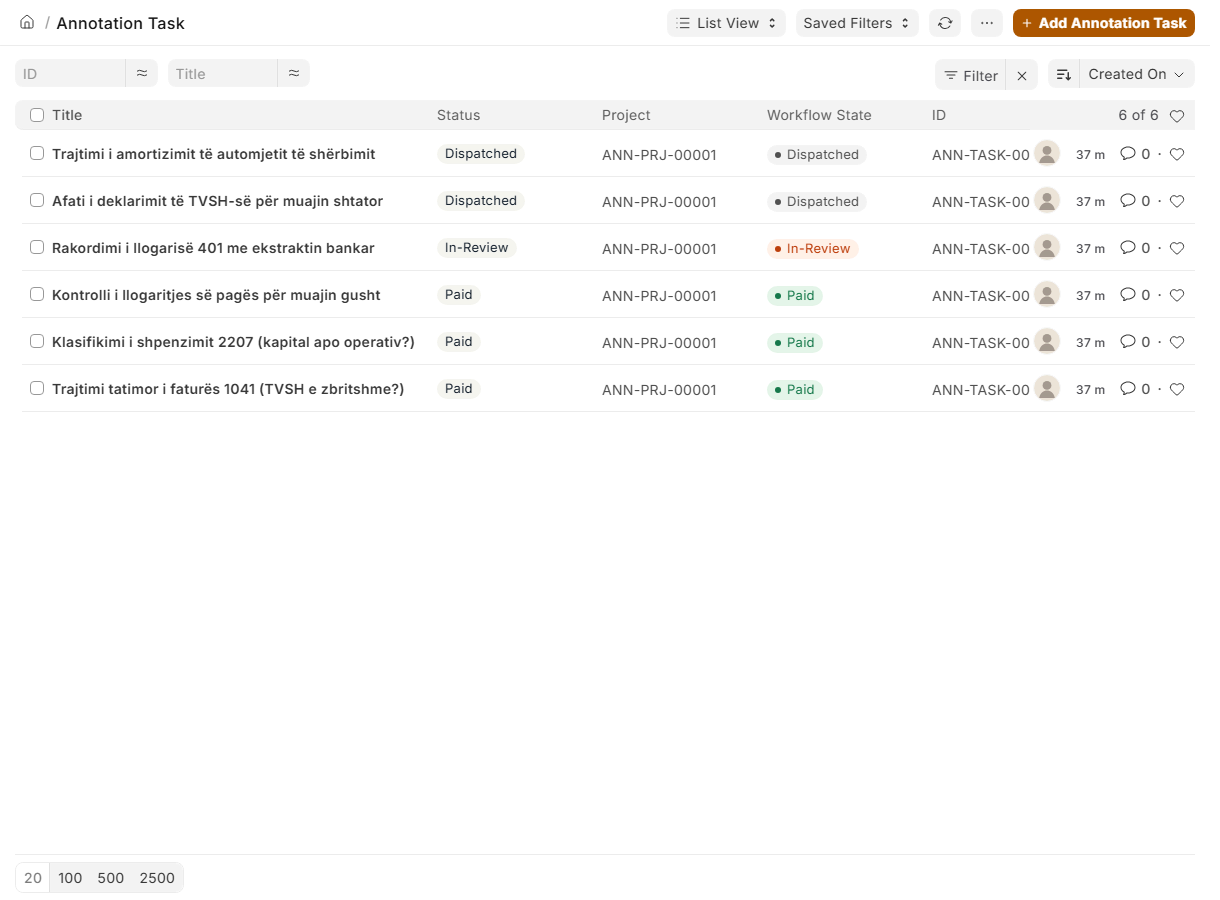
4Demo data. Annotation tasks are dispatched, followed and closed from the same place.


Which format is yours
Four formats, one question each: what do you need to be able to do afterwards? Every course in the catalogue falls under one of the first three. A workshop is different: it is a session we run for a group, not a course you enrol in.
Microcourse
- For whom
- One professional with one concrete task to get right.
- How long
- One to five hours.
- What happens
- Read the material, try the task, keep the checklist.
- Each lesson closes with a learning check.
- At the end
- A completion record.
Training
- For whom
- A professional, or a team, building a skill rather than solving one task.
- How long
- A few hours to a few days, across several sessions.
- What happens
- Choose the training in the catalogue and ask for access.
- Attend the sessions, with exercises from your everyday work.
- Where a human evaluation exists for the course, you may submit a work sample.
- At the end
- A completion record. You receive a certificate only once a work sample is assessed.
Programme
- For whom
- A professional learning a profession from the ground up, step by step.
- How long
- An ordered sequence of courses, with a preparation stage where assessment exists.
- What happens
- The preparation stage gets you ready for the work sample; you decide whether to submit it.
- At the end
- A completion record. You receive a certificate only once the work sample is assessed.
Workshop
- For whom
- For a team or an institution that books as a group. We do not sell individual seats, and a workshop is not listed as a course: the four workshop formats are offers for groups.
- How long
- One day, two days, four one-day episodes, or as agreed.
- What happens
- Choose the format under "For my team" in the catalogue; the enquiry comes with the workshop already filled in.
- We reply with a proposal: content, materials, date, on your premises or ours.
- The session works with your own documents and tasks.
- At the end
- What the group worked on in the session; for the Cybersecurity Seminar, also the instructor training and an aggregate report. No certificate of competence.
For a company or an institution: three options.
Training for your staff, on your own documents: a workshop.
The workshopsA cohort taking courses, each member with an account of their own: institutions and teams.
See that pathCommissioning annotation or evaluation of AI work in a professional field: AI companies.
See that path
What this page does not promise
- Learning is not a qualification. A course ends with a completion record, not with a certificate of competence.
- A certificate is issued only after a human evaluation of a work sample, by two named assessors.
- No work, contract or income is promised to anyone. Annotation tasks exist only when a client has commissioned them.
Help
The platform does not send email automatically. Every request below goes to a person on the team, who replies to the address on your account.
- I lost my invitation
- Write to us from the contact form with the email address the invitation was sent to. The team checks the request and sends a new link. Contact
- I forgot my password
- On the sign-in page choose "Forgot password" and enter your email. The team receives the request and hands you the reset link directly.
- I want my data
- In "My account" choose "Send me my data". The team prepares an export of the data the platform keeps about you and sends it to you.
- I object, or I want my data deleted
- In "My account" choose "Withdraw consent". The learning pages close at once and the team carries out the erasure as the privacy notice describes. You can also write to us.
- I want to deactivate my account
- In "My account" choose "Deactivate my account". Sign-in closes and the team is notified. If you want it back later, write to us.
Have a demo code?
If you were given a demo code, include it in an access request. The team reviews the request and replies by email with the next steps. Access is not instant.